A woman named Mrs. Ramos slipped in the hallway of my dad's assisted living facility on a Wednesday afternoon. About ten feet from the nurses' station. She went down hard, hip first, and for what felt like forever nobody came. Out of reflex, I timed it on my phone. Seven minutes and forty seconds before a staff member walked around the corner and found her. She was fine, mostly shaken, but she'd been lying on cold tile calling out and nobody heard her.
Mrs. Ramos wasn't wearing a medical alert device. Neither was my dad at the time.
I drove home that night and went full engineer mode. Spreadsheets. Side-by-side comparisons. I called customer service lines at 10 PM to test response times. Ordered three different systems and wore them around my house for two weeks each before putting one on my dad and one on my mom. What follows is everything I found.
No affiliate deals with any of these companies. Nobody sent me a free unit. Nobody's paying me to say nice things. Most medical alert system reviews online are affiliate farms collecting $50 to $150 per signup. Which gets me to the point: you deserve an honest comparison, and I wrote one.
What a Medical Alert System Actually Does
A medical alert system is a wearable device with a button. You press the button, it connects you to a 24/7 monitoring center staffed by trained operators. The operator talks to you through the device, assesses the situation, and dispatches emergency services or contacts your family. Some systems also include automatic fall detection, GPS tracking, and medication reminders. (A medical alert is the safety net — but the most effective fall prevention is strength training, even after 70, which keeps you upright in the first place.) If you're considering home modifications for aging in place, a medical alert system is often the first recommendation.
Simple concept. The value isn't in the technology. The value is in the response: a real person on the other end within seconds, someone who already has your medical information, your medications, your emergency contacts, your home address.
For anyone weighing this against a smartwatch (and I've written about the Apple Watch for seniors in detail), one difference outweighs everything else. A medical alert system gives you a trained operator. An Apple Watch gives you a 911 dispatcher who knows nothing about you. Both have their place, but they serve different purposes.
In-Home vs. Mobile: Which Type Do You Need?
The first decision is simpler than the industry makes it sound. Do you mostly need coverage inside your home, or do you need it everywhere?
In-home systems use a base station plugged into your wall, communicating with a wearable pendant or wristband. Range is typically 600 to 1,400 feet from the base, depending on the system. If you're in the yard, in the garage, maybe even down the driveway, you're covered. Leave the property and the connection drops.
My mom is a good candidate for in-home. She's home most of the day, gardens in the backyard, walks to the mailbox, and occasionally drives to the Filipino grocery store on Schaefer Highway. Her risk zone is the kitchen and the bathroom, not the highway.
Mobile systems use cellular networks and GPS, so they work anywhere with cell service. Self-contained — no base station, no landline, nothing plugged into the wall. You clip it to your belt, wear it as a pendant, or carry it in a pocket. Press the button at a restaurant, at church, on a walk.
Dad needed mobile. He goes on outings from assisted living, walks the grounds, and rides with me to Jollibee every Saturday. His risk isn't limited to his room.
Some companies sell both. Some bundle them.
The Five Systems I Compared
Five names kept coming up in every legitimate review (meaning: reviews not funded by the companies themselves). Three I tested hands-on. Two I researched extensively.
Medical Guardian. The system I ended up choosing for my dad. Their MGMini device is about the size of a thick credit card. GPS tracking, fall detection, two-way speaker, and a 5-day battery on a single charge. The monitoring center answered in 28 seconds during my test call — the fastest of the three I tested. Monthly cost: $39.95 for the mobile plan, plus another $10/month if you add fall detection (which I did, so call it $49.95). No long-term contract required on their most popular plan, and they offer a discount if you prepay annually. Setup was genuinely painless. Charge it, call to activate, done in about 15 minutes.
Bay Alarm Medical. The one I put on my mom. Their in-home system starts at $24.95/month on an annual plan (closer to $28 month-to-month), among the lowest base prices I found from a major provider. The SOS Smartwatch, adding GPS and mobile coverage, runs $39.95/month plus a one-time $199 device fee, with fall detection an extra $10/month. No long-term contracts. Response time on my test call: 34 seconds. Battery on the in-home pendant lasts roughly 2 years before needing replacement. You don't charge it, you just wear it. A huge advantage for someone who forgets to charge things. My mom forgets to charge things!
Lively (formerly GreatCall). Now owned by Best Buy, through its Best Buy Health division. Their Lively Mobile2 device costs $79.99 upfront plus $24.99/month for the basic safety plan or $39.99/month for the premium plan with fall detection. The Jitterbug phones also have a built-in Urgent Response button. What sets Lively apart is the Urgent Care service included in the premium plan: 24/7 access to registered nurses and doctors by phone. For seniors who call their kids at midnight panicking about a symptom — and there are other companion devices for those quieter needs — a big deal. I didn't test Lively hands-on, but spoke with three families who use it. The consensus: reliable, simple, but the device feels a bit bulky.
Life Alert. The one everyone knows from the commercials. "I've fallen and I can't get up" has been running since 1987, which makes Life Alert the most recognized name in the category. And frankly, the product works. In-home system with a waterproof pendant and a base station. 24/7 monitoring, fast response times. But Life Alert requires a 3-year contract — one you generally can't get out of early unless the user passes away or moves into full-time care. They won't publish pricing on their website. When I called, the quote was $49.95/month for the basic in-home system, plus a one-time activation fee of $95. They pushed hard for the 3-year commitment. For a population where health status changes fast, people moving to higher care, people passing away, locking into 3 years feels wrong. I said no.
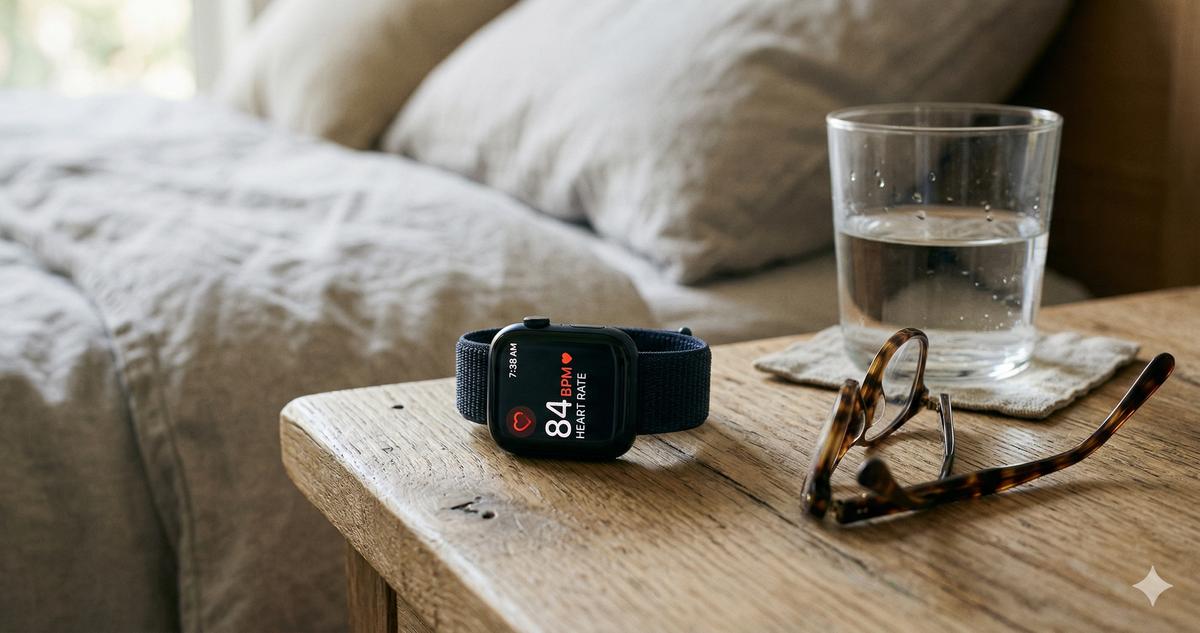
Apple Watch with Fall Detection. Not a medical alert system by definition, but I'm including it because families ask me about it constantly. Fall detection triggers a 30-second countdown, then calls 911 and shares your GPS location with emergency contacts. No monitoring center. No operator who knows your meds. I bought my mom an Apple Watch Series 11 with cellular and it caught a low heart rate dip in January. Genuinely useful for health monitoring. But as a standalone fall response? Not enough. A 911 dispatcher doesn't know your parent. Doesn't have their medication list. Doesn't know their history of AFib or their defibrillator or which hospital they prefer. For families who want both health monitoring AND a medical alert, the answer is both devices. Not one or the other.
Fall Detection: The Feature Everyone Wants (and Nobody Tests Honestly)
Fall detection is the most requested feature. Also the most oversold.
Every system I tested claims automatic fall detection. What they don't advertise is the detection rate. Medical Guardian's MGMini uses a built-in accelerometer and rates its detection sensitivity as covering "most hard falls." Bay Alarm Medical's fall detection pendant works similarly. Both were tested by sitting down abruptly, dropping the devices from waist height, and simulating a stumble. Medical Guardian detected 3 out of 5 simulated falls. Bay Alarm detected 2 out of 5. Neither detected a slow, sliding fall — the kind where someone's knees buckle and they sink to the floor.
In practice, fall detection is a backup, not a guarantee. Your parent still needs to know how to press the button. If they can't press it, if they're unconscious or their hands are pinned, the auto-detection might catch it. Might. The button is the primary tool. Fall detection is the safety net.
Independent testing of wearable fall detection generally finds the same pattern: these devices reliably catch most hard, high-impact falls but miss a large share of soft or slow falls — the gradual sinks and slides. That lines up with what I saw in my admittedly unscientific kitchen tests.
The Apple Watch performed slightly better in my informal tests, detecting 4 out of 5 simulated falls, likely because of its more advanced sensor array. But again: no monitoring center. No operator. Just a call to 911.
The Costs Nobody Tells You About Upfront
My mom looked at me when I told her the monthly cost and said, "Anak, more than my phone bill." She's not wrong.
Realistic cost breakdown for the first year with each system:
- Medical Guardian MGMini: $39.95/month, plus $10/month for fall detection = $49.95/month, or $599.40/year. No equipment fee on the standard plan. Total first year: roughly $600.
- Bay Alarm Medical In-Home: $24.95/month = $299.40/year. Add fall detection for $10/month more = $419.40/year. Equipment is loaned, not purchased.
- Bay Alarm SOS Smartwatch: $39.95/month, plus $10/month for fall detection and a one-time $199 device fee. First year: about $799 ($599.40 monitoring + $199 device).
- Lively Mobile2: $79.99 device + $39.99/month premium = $559.87/year.
- Life Alert: $49.95/month + $95 activation = $694.40 first year. Three-year contract total: roughly $1,893 minimum.
- Apple Watch Series 11 Cellular: $499 device + $12/month cellular = $643 first year. No monitoring center.
What catches families off guard is the add-ons. Fall detection is sometimes bundled, sometimes an extra $5 to $10/month. GPS tracking is sometimes included in mobile plans, sometimes separate. Lockboxes for your home key (so EMTs can get in) run $15 to $50. Spouse monitoring — adding a second wearable — can double the cost or add $10 to $15/month.
And then the part nobody talks about: what happens when your parent passes away or moves to a higher level of care. Life Alert's early termination fee makes cancellation painful. Medical Guardian and Bay Alarm Medical let you cancel anytime. Lively lets you cancel, but the $79.99 device cost is sunk.
The cheapest system is the one your parent will actually wear. A $25/month pendant left on the nightstand every morning is worth exactly zero dollars.
What Actually Matters When You're Choosing
After testing three systems and researching two more, here's what I'd prioritize starting from scratch.
Response time. The time between pressing the button and hearing a human voice. Medical Guardian: 28 seconds in my test. Bay Alarm: 34 seconds. Industry average is under 60 seconds. Anything over 90 seconds and I'd look elsewhere.
Battery life. The MGMini lasts 5 days. The Bay Alarm pendant lasts 2 years without charging. If your parent charges their phone reliably, a rechargeable device is fine. If they don't? Get something with no charging required. Period.
Waterproofing. Most falls happen in the bathroom. The device needs to be worn in the shower. Medical Guardian's pendant is water-resistant to IP67 standards. Bay Alarm's pendant is waterproof. Life Alert's pendant is waterproof. If a system can't handle a shower, skip it.
No long-term contracts. Life Alert's 3-year lock-in is a dealbreaker for me. Seniors' health changes. Their living situations change. A month-to-month plan gives you flexibility. Bay Alarm and Medical Guardian both offer this.
Will they actually wear it? Sounds obvious but it's the single biggest failure point. My dad refused a pendant. "I'm not wearing a necklace," he said. So I got him the MGMini, which clips to his belt. My mom wears the Bay Alarm pendant around her neck and forgets it's there, which is exactly the goal. Ask your parent what they're willing to wear before you buy anything.
When a Smartwatch Isn't Enough on Its Own
Someone reads my Apple Watch article almost every week and asks: can't the watch just replace the medical alert system?
No. Not yet.
The Apple Watch calls 911. A medical alert system calls a monitoring center with your parent's medical history, medication list, allergies, emergency contacts, and home address already on file. When a 78-year-old with AFib and a pacemaker falls and can't speak clearly, the monitoring center operator already knows what the ER needs to hear. A 911 dispatcher does not.
Actually, let me walk that back a step. The Apple Watch works well as a supplement. The health sensors are better than anything in a medical alert pendant. Heart rate, ECG, blood oxygen, fall detection. The Watch catches things between emergencies. The medical alert catches the emergency itself. Together, they cover more ground than either one alone.
My dad wears both. Belt clip for the Medical Guardian. Apple Watch on his wrist. Overkill? Maybe. But after watching Mrs. Ramos on the hallway floor for nearly eight minutes, overkill is fine with me.
How to Choose the Right System for Your Parent
Feeling overwhelmed? Narrow it down with three questions.
Where does your parent spend most of their time? Home most of the day with occasional errands? In-home system with a pendant. Active, out and about, or in assisted living? Mobile system with GPS.
What will they actually wear? A pendant, a wristband, a belt clip, a smartwatch-style device? Buy the form factor they'll tolerate. My dad said no to a pendant. Some people won't wear a wristband. Don't fight it. Work with it.
What's your budget? If $25/month is the ceiling, Bay Alarm Medical's in-home system is hard to beat. If $40/month is comfortable and you want mobile coverage with fall detection, Medical Guardian or Lively. If money isn't the primary concern but your parent is healthy enough to skip a full monitoring center, the Apple Watch gives you health sensors plus basic 911 calling.
One more thing. Before you sign up, call the company's monitoring center yourself. Press the test button on the device and time the response. Ask the operator what information they have on file. If they can't tell you your parent's name and medications within 30 seconds, walk away.
Tito Romy's daughter did exactly this with a competing company I didn't test. The operator took over two minutes and asked her who she was. She canceled the next day. Good instinct!
The Gaps Between Visits
Last Saturday after our Chickenjoy run, my dad had the Medical Guardian clipped to his belt and the Apple Watch on his wrist. He looked at me and said, "I've got more technology on me than I had in the whole plant." He spent twenty-eight years as a process engineer. He's not wrong.
But the technology isn't the point. If he falls at 3 AM walking to the bathroom, someone answers. Someone who knows his name, knows he takes lisinopril and atorvastatin, knows to call me first and his cardiologist second. My mom, gardening alone in the backyard with her tomatoes and chili peppers, has a button around her neck connecting her to a person in under 30 seconds.
None of us can be there every minute. These systems don't replace being present. They fill the gaps between visits, between calls, between the moments when we're driving home wondering if everything is okay.
If you're researching medical alert systems for someone you love, start with one call to Bay Alarm or Medical Guardian. Ask your questions. Test the response. And then ask your parent what they're willing to wear, because the best system in the world doesn't work sitting in a drawer.