We were standing in aisle seven at the Best Buy outside Detroit when the salesperson swung around with the senior-friendly tablet pitch. Big icons. Voice assistant. Subscription that handles the setup. My father — who spent twenty-eight years as a process engineer at a chemical plant — asked the reasonable-sounding question: is it easy to use? My mother had her purse open already.
I walked away from that aisle realizing I had been having the wrong conversation with my parents about technology for about three years. I had been teaching them how to use things. The harder skill, the one nobody sells, is teaching them how to decide whether to use a thing at all.
This is the framework I actually use now — not a list of products, a decision lens. Granted, it will not save you from every bad purchase. But it will keep you from the worst ones — which is most of what matters.
The Wrong Question
Most technology advice for older adults answers the question "how do I use this?" The prior question — "should I be using this at all?" — almost never gets asked out loud. The industry profits from skipping that step.
In process control, you do not start optimizing a variable until you have confirmed the system is worth running in the first place. You check whether the unit operation is even necessary. You ask what happens if you remove it. Consumer tech sells you the optimization without ever proving the system needs to exist for you. The salesperson in aisle seven is not your enemy. He is operating in a different incentive structure than yours. Same with the well-meaning adult child who installs apps on your phone because the App Store said they were popular.
Neither of them is asking the right first question. Neither is the YouTube reviewer. Neither is the press release. The framework that follows is what I use to ask it.
Total Cost of Ownership — the Number Nobody Quotes
In the chemical plant where my dad worked, you never quoted capital cost without operating cost over the useful life. A unit that costs $10,000 to install and $2,000 a year to run is more expensive over five years than a $15,000 unit that costs $500 a year to run. The cheaper sticker is frequently the more expensive product — over the actual useful life of the thing. The same math applies to consumer technology, and almost nobody does it.
The $50 medical alert pendant is actually a $45-per-month lease. ElliQ, the AI companion robot, has shifted between direct-purchase models with an ongoing subscription and state-funded free distribution in places like New York and Florida — check current availability before you do any math, because the answer changes the math entirely. The $299 "senior tablet" comes with a mandatory content plan billed monthly. None of those numbers are hidden, exactly. They are just on a different page than the one with the price tag.
Here is the rough calculation I run before any device enters the house: sticker price, plus twelve months of any subscription, plus expected accessories (charger, case, screen protector, replacement battery), divided by useful life in years. That is the real number. When you do this honestly for most "designed for seniors" devices, a standard iPad or Android tablet with a free email account comes out cheaper by year two. Often by year one.
It does not mean the senior-marketed product is always wrong. It means you are not actually comparing it to the right alternative until you have done this arithmetic. If you want to see this math applied to one category in detail, our comparison of medical alert systems for 2026 walks through the first-year-cost gap between leased and owned devices.
The Dependency Risk Nobody Talks About
In engineering this is called single-point-of-failure analysis. You ask, if this component disappears, does the system collapse? Then you build redundancy where the answer is yes. Consumer tech is built so that the company is almost always a single point of failure, and the marketing copy will never mention it.
Quibi launched in April 2020 with $1.75 billion in funding and shut down six months later. Subscribers lost access to everything they had been watching. Google Nest Secure, the home security system, was discontinued for sale in 2020 — and the software support that kept the alarm panel and sensors actually functional ended in April 2024. People who had wired their houses around it got an email and a sunset date. Jitterbug, the senior-marketed phone brand, was acquired by Best Buy and then sold again, and longtime users have watched the app support and customer service quality drift downward across the handoffs. None of those products were scams. They were companies operating normally inside a business model that does not owe their users anything in particular.
The questions to ask before you commit are not paranoid. They are engineering questions. Is the data yours, in a format you can export? If the company shuts down tomorrow, do you keep your photos, your contacts, your messages? Is the company profitable today, or burning venture money? Is there a refund or cancellation policy that survives the company itself? GrandPad, the popular senior-marketed tablet, runs on an ongoing monthly subscription — when the family stops paying, the device becomes a brick and the photos stored on it are gone unless they were also somewhere else. That is not a flaw, that is the design. You should know it before you buy in, not after.
Granted, no company tells you any of this on the box. The trick is asking the questions anyway.
When Easy Is Patronizing
There is a category of "senior-friendly" devices that simplifies the interface by removing functionality. Fewer apps. Bigger icons. No browser. No way to install anything the manufacturer did not pre-approve. This is not simplicity. It is restriction. The two get confused all the time, including by the people designing these products.
A company sent me one of these tablets to review a while back. $299, locked ecosystem, twelve pre-installed apps and no way to add a thirteenth. My mother had it in her hands for about two minutes before she handed it back. "This is like a toy," she said. She wanted YouTube and email. The device had neither, and it did not let her get them. I wrote the honest review. They asked me to take it down. I did not.
Here is the test I use now. Ask whether the average thirty-five-year-old would be satisfied using this device for an ordinary week. If the answer is no — if the device is unusable for normal adult tasks — it is not simpler, it is crippled. A real ease-of-use win is when the same task takes fewer steps to complete. A fake ease-of-use win is when the task is no longer available at all.
An iPad with the accessibility settings configured properly — larger text, increased contrast, reduced motion — has a real learning curve for the first week and then delivers full functionality for as long as the device lasts. A locked-down senior tablet has a gentle first week and a wall two weeks later when the user wants to do something the manufacturer never imagined. In process design, you do not solve a complexity problem by removing the process — you design the controls to be operable by the actual operator. That is good engineering. "Designed for seniors" is often neither.
Reading the Spec Sheet
Marketing language is a translation problem. The job is not to be cynical about it. The job is to read it precisely.
"AI-powered" covers everything from genuine machine learning models to a basic if-then rule set that has been sitting in software since 1995. "Fall detection" means meaningfully different things across different products — some use only an accelerometer, some use radar, some use passive infrared, some use a camera with computer vision. They have very different false-positive rates and very different rooms where they fail. "Clinically validated," "clinically tested," and "published in a peer-reviewed journal" are three separate claims. Companies pick whichever one is technically true and put it on the box.
From my own engineering background, I will tell you the distinction that matters most. "Tested" means somebody ran an experiment. "Validated" means somebody proved the experiment measures what the company says it measures. Most consumer health-adjacent products are tested. Far fewer are validated. The difference is the entire question of whether the device does what the box says.
The one place where the truth tends to leak out is the one-star Amazon reviews. Not the comparing-to-the-competition reviews. The specific-failure reviews. The person describing exactly what the device did the morning their dad fell, or the exact phrase the voice assistant misheard, or the day the company pushed an update that changed how the app works. Those are the user-acceptance test results the manufacturer does not publish. They are worth more than the marketing site.
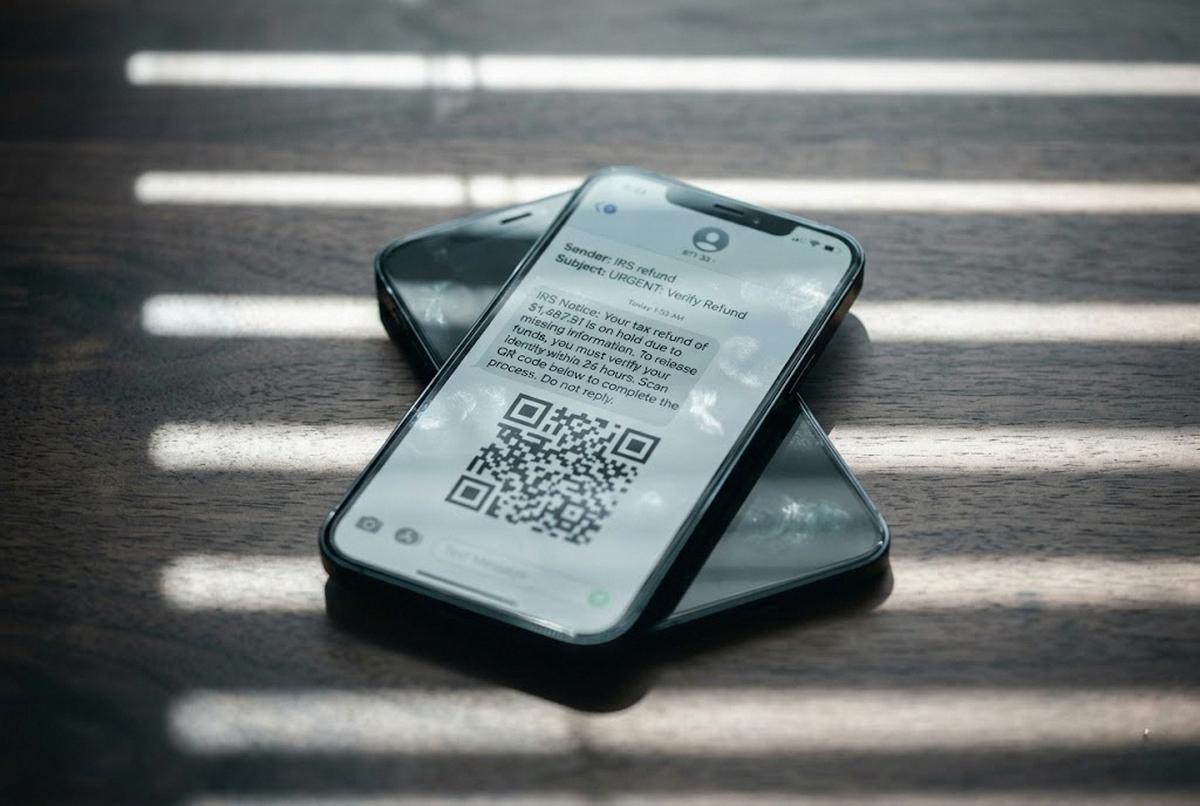
And while we are talking about reading things skeptically, the same instinct applies to messages on the device once you own it. If something looks off — a billing alert from a service you do not remember, a delivery notice for a package you did not order — slow down before tapping. Our piece on how to tell if a text is a scam is the field guide for that exact moment.
When to Wait and When to Skip
Not every category is ready for adoption. Some technologies have matured. Some are promising but still iterating. Some are bad bets, and you can spot them.
The mature category is the safe one. Video calling — FaceTime, Zoom, WhatsApp video — has been stable for a decade, works on hardware you already own, and has a real support infrastructure if something breaks. Medication management apps from major pharmacies are reliable enough to trust. Health monitoring on a mainstream wearable from Apple or a major Android manufacturer is, at this point, well-understood. The evidence base is established and the product is not going to vanish next year.
The promising-but-early category is the one to enter with eyes open. Ambient room sensors for fall detection are improving fast. AI companion devices like ElliQ are evolving — I shared the two-week ElliQ trial honestly for what it actually did and did not deliver. Next-generation hearing aids with on-board computing are interesting but the firmware will change. These are reasonable to try if you have tolerance for iteration. They are wrong if you want something reliable and unchanging.
The wait-or-skip category includes most blockchain-flavored wellness products, first-generation versions of any medical-adjacent wearable making a specific diagnostic claim the FDA has not cleared, and any monthly subscription service from a company less than three years old. In process engineering, you do not install first-generation equipment in critical service. You wait for the second generation, when the failure modes are documented and the bugs have been found by somebody else. Older adults should not be beta testers for consumer health technology. They should be second adopters. Let other people find the bugs first.
The One-Page Decision Sheet
Here are the five questions I run before any new technology enters my parents' lives, or mine. They take maybe ten minutes. They will save you years of subscription fees.
One. What specific problem does this solve, stated in a single sentence? If you cannot finish that sentence cleanly, the device does not have a defined job in your life yet. Put it back.
Two. What does it actually cost in year one — device, plus twelve months of every subscription, plus accessories? Write the number down. Compare it to the alternative you would buy if this product did not exist.
Three. What happens to your data if the company closes? Can you export your photos, contacts, messages, history? If the answer is no, the product is renting you the use of your own information.
Four. Can a person who has never seen this product figure out the core function, alone, without calling anyone? If they cannot, you are not buying a product. You are buying a support obligation, and somebody in the family will absorb it.
Five. Is there a simpler, more established option that solves the same problem? A free app, a setting on a device you already own, a phone call instead of a platform.
Layer in the security baseline before you finalize anything — strong unique passwords and two-step verification on the accounts that matter. That is not an add-on. That is the floor. And once the framework is in place, the everyday answer to "what should I install?" is usually some combination of free apps that actually get used on hardware you already own.
I do not run this checklist to talk people out of technology — I run it to talk them into the right technology. There is a difference. The goal is not to be skeptical — the goal is to be precise. I am not the master of this yet — I still buy things, get them home, and realize I skipped question two. But the framework is here, and it is honest, and it is the conversation I wish someone had handed me before that afternoon in aisle seven.